PRACTICAL IMAGE EDITING
Check Retained Image Regions with a Local Pixel Comparison
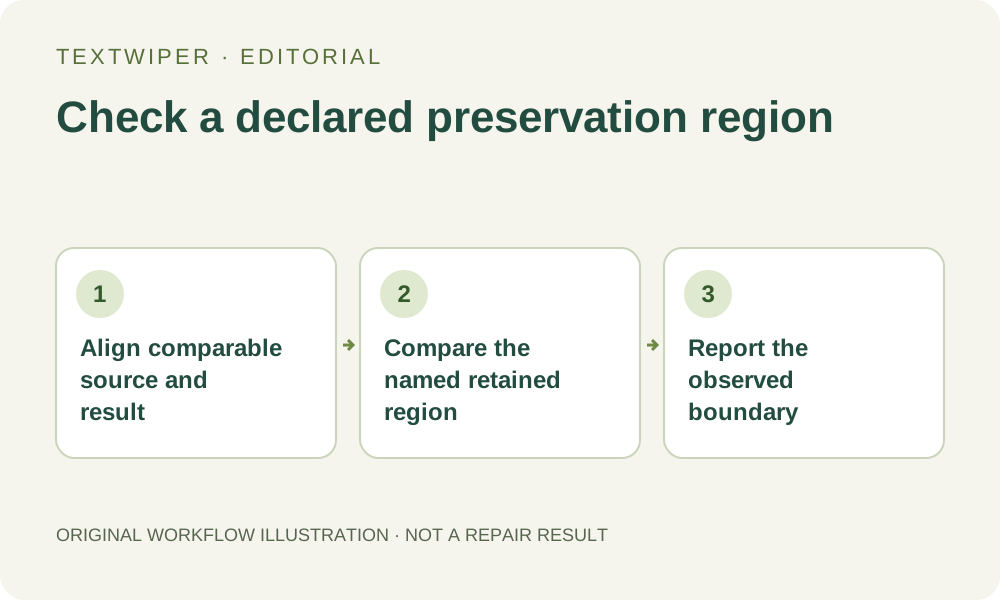
For an authorized image with a region that must stay unchanged, you can supplement visual review with a local decoded-pixel comparison. Define the retained region, make sure source and result are aligned and decoded consistently, then inspect differences only within that declared boundary. TextWiper does not export its removal mask or provide a pixel-difference report. This is a separate verification task using suitable local tools, not a claim that your particular output has already passed.
Published 2026-10-26 · Updated
1. Define the region and the question before comparing
Choose a concrete retained rectangle, such as an untouched product-name panel well away from the intended removal. Record its pixel coordinates and dimensions against the working image. Decide whether you need exact RGBA equality or ordinary visual acceptance. Those are different standards; a close-looking preview cannot establish that every channel value is identical.
Keep the authorized source and the actual exported candidate separately. Do not use an editor screenshot as one comparison input, and do not resize the pictures to make a convenient overlay. That would create new pixels before the test. A file checksum also cannot answer this question: changing one image region or metadata can change the whole file hash.
2. Establish a consistent decoding and coordinate baseline
The editor works from browser-decoded pixels, with the loaded dimensions shown in the workspace. A comparison program decoding an original camera file may apply orientation or color conversion differently. Confirm that your local workflow uses matching orientation, dimensions, color handling and channel representation before treating a difference as evidence of a repair change.
A controlled PNG reference can simplify the input, but it does not remove the need to check how each tool reads it. If you cannot establish a common baseline for the editor’s working pixels and the external comparison, state that limitation. Do not turn an unexplained decoding difference into a claim that the repair modified, or preserved, a particular detail.
3. Choose a result with the preservation boundary you intend
Use the actual manual PNG result when checking unchanged decoded regions outside your local removal area. JPG re-encodes the whole image and can introduce differences outside the edit, so it is unsuitable for proving exact equality to a pre-JPEG source. Changing its filename to PNG later cannot undo the compression or restore that reference.
Whole-image automatic cleanup has a different scope and can change unprotected regions across the image. It should not inherit a local manual-repair preservation assumption. Protected areas are restored from the source in the browser, but a general description of that mechanism is still not a measured pass for your files. Compare the delivered candidate under its actual processing path.
4. Compare locally within the declared coordinates
Use a suitable local image comparison application that can compare aligned decoded RGBA values and report a difference view or changed-pixel count for the same selected region. Crop only identical coordinates for analysis, without rescaling either crop, and retain the complete source and output alongside it. Do not send private pictures to an unknown online comparison service.
Inspect the alpha channel as well as visible color when transparency matters. A view composited on one white background can hide channel differences. Record the tool’s comparison settings and region, and distinguish an exact changed-pixel count from a thresholded perceptual comparison. A tool that reports only a visual similarity score cannot by itself certify exact channel equality.
5. Investigate a difference before changing the repair
If differences appear, first rule out a mismatched revision, orientation, crop offset, scaling, color conversion, channel interpretation or JPEG-derived comparison input. Check a second known untouched region as a diagnostic reference. A broad difference across the entire picture can come from the comparison pipeline rather than from the local repaired area.
Once the comparison inputs are sound, inspect where changed pixels fall. If your declared retained rectangle includes the intended repair or its selection boundary, the test was asking for preservation inside an edited area. Redefine the acceptance requirement honestly; do not move the rectangle after seeing the result and then present the new boundary as the original test.
6. Report only the scope actually checked
A useful note names the source revision, output revision, common decoding assumptions, retained rectangle and observed difference count. Zero differing pixels in that rectangle supports a narrow equality finding there. It does not certify the entire image, reveal what was hidden by the removed text, or establish that the generated repair is visually plausible.
TextWiper has no mask export or built-in signed verification log, so a manually declared rectangle cannot prove equality for every pixel outside the real mask. Keep that gap explicit and still review the repaired area visually. If you cannot perform a reliable numeric comparison, report a visual review instead of presenting unmeasured exact-pixel preservation as a passed test.