PRACTICAL IMAGE EDITING
Check That a Transferred Image Is the Same File You Reviewed
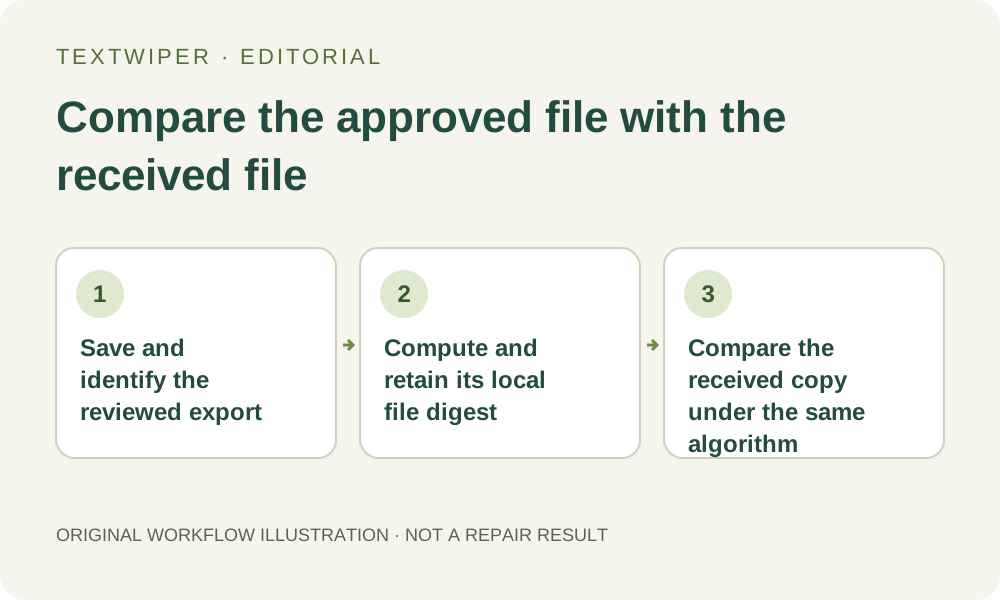
When you need to know whether a transferred image is the exact saved file you approved, compare a file digest computed locally before and after the transfer, using the same algorithm such as SHA-256. Compare the exported image file, not the editor preview or an earlier source. TextWiper does not generate this digest or perform the transfer check. Matching digests are a practical exact-byte check, not proof that an edit is accurate, private or authorized.
Published 2026-10-28 · Updated
1. Finish visual acceptance before testing transfer integrity
Download and reopen the actual accepted output. Check the removal, required retained details, dimensions and format first. A file can be copied without any transfer change and still contain a poor repair or the wrong product view. Establish which specific export passed your visual review before recording a digest for it.
Keep that approved file separately from its source and earlier candidates. A clear local name helps, but names and timestamps alone do not identify the bytes inside a file. This workflow is useful when a recipient or publishing route needs an unchanged file copy. If ordinary visual delivery is sufficient, do not describe it afterward as a cryptographic integrity check you never performed.
2. Compute a reference digest from the saved image locally
Use a trusted local file-checking tool that explicitly identifies its digest algorithm. Choose the actual saved image and record the algorithm, full resulting digest, byte size and your version reference. SHA-256 is one suitable choice when both ends support it. These are external file operations; TextWiper has no checksum button or built-in signed delivery manifest.
Keep the reference with your own controlled delivery record, excluding private file paths from public notes. Do not paste the image into an unknown online hashing service when a local tool can read it. A digest can be computed without sharing the picture with that service, and using a local checker does not require another recognition or repair operation.
3. Obtain the actual received file rather than a displayed preview
Transfer the approved image using the intended file channel, then obtain the recipient-side copy for checking. A chat thumbnail, browser screenshot or resized web preview is not the same verification input. Some systems create derivatives or re-encode images, so use their original-file download option when one actually exists and matches your delivery purpose.
If an archive carries the image, extract it and compare the image entry with the approved image file. The ZIP container has different bytes from the enclosed picture, and rebuilding an archive can change its container digest without changing the extracted image. Record clearly whether you are checking an image or an entire package; do not compare unlike objects.
4. Compare the same algorithm and complete digest
Compute the received image’s digest locally with the same algorithm and compare the complete value with your trusted reference. Also check that you selected the intended files and matching byte sizes. A matching digest is a practical indication that the checked copy has the same file bytes as the reference. This is a file-level comparison, not a repair-quality score.
A missing reference or an incomplete copied digest leaves the check unresolved. If someone supplies a digest alongside a file through the same untrusted route, both could have been replaced; matching them alone does not establish who approved the file. Keep the comparison’s trust boundary clear and use an appropriate trusted reference channel when that distinction matters.
5. Investigate mismatches without immediately repeating repair
First check for the wrong revision, a renamed old download, a preview saved instead of a file, a changed output format or an extra export through another application. A file can have matching dimensions and a similar appearance while its bytes differ. Re-encoding, metadata changes and other transformations can change a digest; a mismatch alone does not identify the cause.
If an unchanged copy is required, retransmit the retained approved file through a route that preserves it and compare again. If a derivative is intentional, inspect and approve that derivative as a new file, then compute its own reference digest. Do not rerun OCR or repair solely to fix a transfer mismatch: that produces another candidate rather than recovering the original saved bytes.
6. Report exact-byte integrity separately from other claims
A useful note identifies the approved revision, algorithm, compared file objects and whether their complete digests matched. Say that the received file matched the retained approved export when that is what you checked. Do not translate that finding into proof of the depicted event, lawful ownership, successful confidential-data removal or the historical accuracy of a reconstructed background.
If the requirement is that a particular image region retained identical decoded pixels, use a properly aligned pixel comparison instead; a whole-file digest does not locate differences or explain their significance. Retain the accepted export outside the page because the workspace is temporary. This guide adds an external transfer check, not a new TextWiper security certification or tested result for your files.