PRACTICAL IMAGE EDITING
Hand Off a Cleaned Image with Its Source and Review Notes
A finished image can look convincing while the handoff remains confusing: which source was used, which wording was intentionally removed, and which export was actually reviewed? Treat delivery as a small package of files and decisions. TextWiper does not provide a shareable, reopenable cloud project or a mask export. The recipient needs clear version references rather than a link to your temporary browser workspace.
Published 2026-10-18 · Updated
1. Agree on what the next person needs
Before editing, define the intended change and what must stay. For your own catalog picture, a useful request could say: remove the outdated promotional overlay, retain the printed product name and keep the original dimensions. That is an original planning example. It is more actionable than “make this clean,” which leaves the recipient guessing about meaningful lettering.
Decide whether the recipient is allowed to receive the source file. An internal reviewer may need it; a public audience usually needs only the approved output and an honest caption. Do not bundle an original with private or restricted information simply because it helps comparison. This handoff workflow is for ordinary authorized artwork, not confidential-data redaction.
2. Give the source and export different identities
Keep the untouched source separately. Use a simple local naming convention, such as mug-source-v1.png and mug-clean-v2.png. These are suggested names, not labels generated or synchronized by TextWiper. Record the source dimensions, the output dimensions and the revision you intend to deliver. A thumbnail alone is a weak way to distinguish nearly identical versions.
If you repair again after changing a selection, treat the new output as another candidate. Do not overwrite the only reviewed copy before checking its replacement. A JPG received from someone else and your later PNG are different files even if their visible composition is similar; identify the actual input instead of referring vaguely to “the original.”
3. Create a small, explicit handoff package
- Finish the manual edit and inspect the complete result. Hide comparison when deciding whether the finished image is suitable.
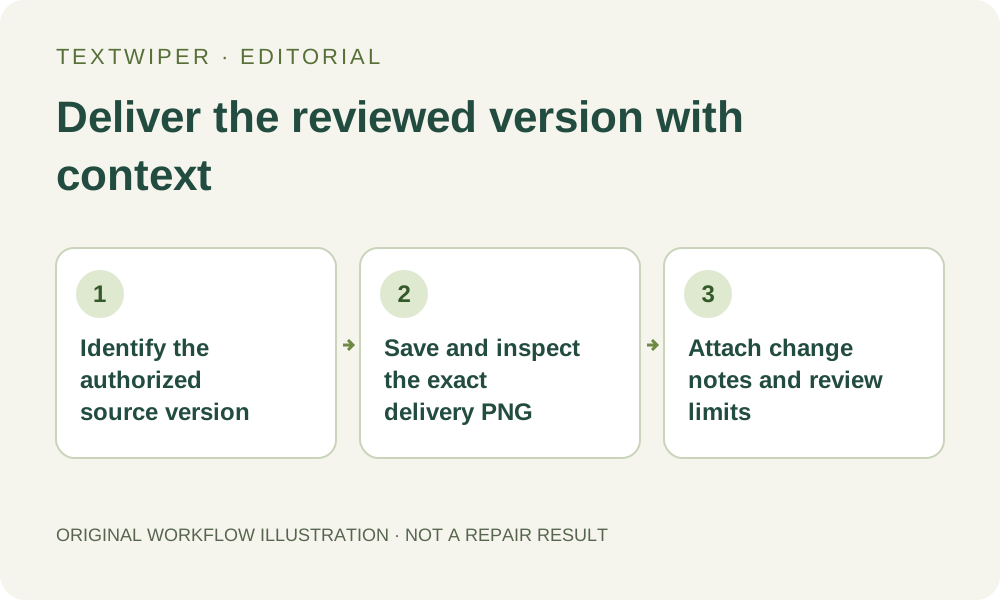
- Download PNG, reopen that exact file in an image viewer and check its dimensions and the intended edit.
- Keep the authorized source or a precise source reference separate from the delivery file. Do not include more material than the recipient is allowed to receive.
- Write a short change note naming the removed overlay, retained details, repair approach and the exported revision.
- Add a review note identifying what you inspected and any visible limitation that remains. Do not turn an untested assumption into a passed check.
- Send the package through your normal approved sharing channel. A TextWiper page address opens the tool or article; it does not reopen your private selection.
4. Make the note useful without inventing an edit log
A practical original note might read: “Source: mug-source-v1, 1600 × 1200. Delivery: mug-clean-v2.png. Removed our expired corner caption using a small manual selection. Printed name retained. Reviewed the handle, former caption area and full image at intended catalog size. Slight softening remains on the plain panel.” Use that wording only if each statement matches your own work.
TextWiper does not automatically generate this project history, attach it to your export or store it in an account album. Write it yourself beside the files. If you cannot remember which repair option or source you used, say that the detail is unrecorded; a confident but incorrect note makes later review harder.
5. Ask the recipient to review the identified version
The recipient should open the named delivery file and check the edit against the named authorized source when available. Ask for concrete feedback: a remaining letter fragment, a softened product edge, or a retained phrase that should not have changed. “Looks good” does not identify which version was viewed or what was inspected.
When feedback requires revision, return to the source and rebuild the selection as needed. Account settings and keyword templates can help repeat preferences, but they do not restore brush strokes, the removal mask or the loaded picture. Reopening a completed PNG as input starts from that raster image; it does not recover the previous editable workspace.
6. Keep approval and authenticity claims proportionate
Use a brief delivery status such as “ready for visual review” or “approved for this catalog placement,” according to what actually happened. Neither status certifies that inferred background detail is historically accurate. Repair fills a selected area; it cannot reveal the exact surface hidden under a caption. Preserve meaningful labeling and disclosures rather than making the object appear different.
If the image is later cropped, re-encoded or revised in another application, review the new delivered version again and update its note. Do not assume an approval automatically follows every derivative. Keeping a precise source reference, a checked output and a bounded review note makes this ordinary handoff reproducible without pretending that the website stores a permanent project.