PRACTICAL IMAGE EDITING
Review Both Eyes After Removing Added Labels from a Stereo Pair
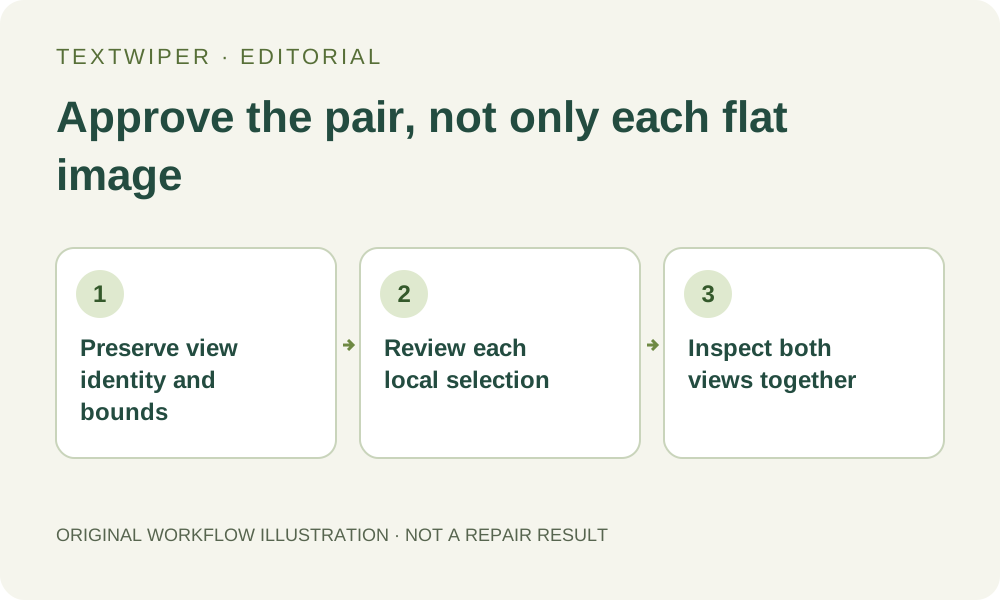
For a left/right stereo pair, two individually tidy pictures do not prove a coherent pair. Keep the view order and geometry, select each overlay in its own image, then review the exported files together in the intended stereo viewer. TextWiper has no stereo-aware repair or shared disparity control.
Published 2026-11-01 · Updated
1. Identify the format before converting an editing copy
Keep the authorized original and establish whether the pair is two separate images or one side-by-side raster. Record which view is left, which is right, the dimensions and the layout expected by your consuming viewer. Do not silently swap the order or treat a multi-view container as an ordinary supported still.
TextWiper accepts static JPG, PNG and WebP within its limits, not every stereo container or depth format. If conversion is needed, prepare suitable raster copies in your existing external tool and preserve the original pairing information separately. This workflow does not add a stereo-file decoder or rebuild lost metadata.
2. Distinguish a visual label from the scene correspondence
OpenCV’s stereo tutorial explains that corresponding points in left and right views differ in position, and that this disparity relates to depth. Therefore, a convenient rectangle at the same pixel coordinates in both images is not proof that it selects the same scene content.
Determine where the added label actually appears in each view. Preserve genuine differences in occlusion and object position rather than copying the other eye’s patch as if the two pictures were duplicates. If the label hides important detail in both views, return to unmarked source imagery; repair cannot establish the true hidden geometry.
3. Make a local selection for each actual overlay
Use Brush or Area to mark only the added overlay in the current image. Protect nearby outlines that matter to the pair. Recognition can suggest text locations after working-image upload permission, but it does not align the eyes, transfer coordinates or inspect the stereo relationship.
For a side-by-side raster, preserve the divider and both view bounds. For two files, record the view name before each edit, save each reviewed result and keep the association outside the page. A batch may hold both files, but its per-image processing does not make the repair stereo-aware or share a checked mask between them.
4. Judge the full two-dimensional candidates first
Run the chosen manual repair and inspect the complete result for each view. Check object edges, small texture, highlights and any remaining label shadow. Use comparison when a particular edge is doubtful, then return to the full image. Do not accept a large new object simply because the wording has disappeared.
If one repaired view looks softer, brighter or structurally different at the target, reject that candidate before combining the pair. A whole-image automatic cleanup may change areas outside the unwanted label and is not a shortcut to pair consistency. Keep the accepted originals ready for a full rollback.
5. Review the exported pair in the intended viewer
Download the reviewed files and restore their recorded ordering in the actual viewer or project. Inspect both the target area and the rest of the image using the intended stereo presentation. Look for mismatched details, double-looking edges or a repaired region that appears at an unintended depth.
Stop using a candidate that is difficult or uncomfortable to view, and return to the source or a suitable stereo-editing workflow. TextWiper cannot certify the viewing experience or calculate whether the pair remains geometrically correct. A flat browser preview and two successful downloads do not supply that evidence.
6. Keep pair-level acceptance separate from file completion
Save the final left/right mapping, layout and review notes with the approved exports. If either view changes later, reassess the pair; do not label the second file approved solely because the first was accepted. Preserve the original container and unedited files for future re-export.
Manual editing remains free during beta. The separate limited automatic trial is not a synchronized two-eye process, and this article reports no new stereo-output experiment. When accurate depth or hidden structure matters, use the original clean source and a workflow designed to preserve it rather than relying on plausible independent fills.
Sources
- OpenCV: Depth Map from Stereo Images — Explains correspondence and disparity. It does not validate TextWiper repairs or provide a stereo-quality guarantee.