PRACTICAL IMAGE EDITING
Remove Added Rehearsal Notes from Your Own Score Image Without Rewriting the Music
For a score you wrote or may edit, remove an added rehearsal note only where you can distinguish it from the music. A small dot, curved line or letter can be part of the score itself. Begin with an unannotated notation source when it exists; use image repair for a separate working copy and compare the musical content measure by measure.
Published 2026-11-01 · Updated
1. Find the score version that establishes what must remain
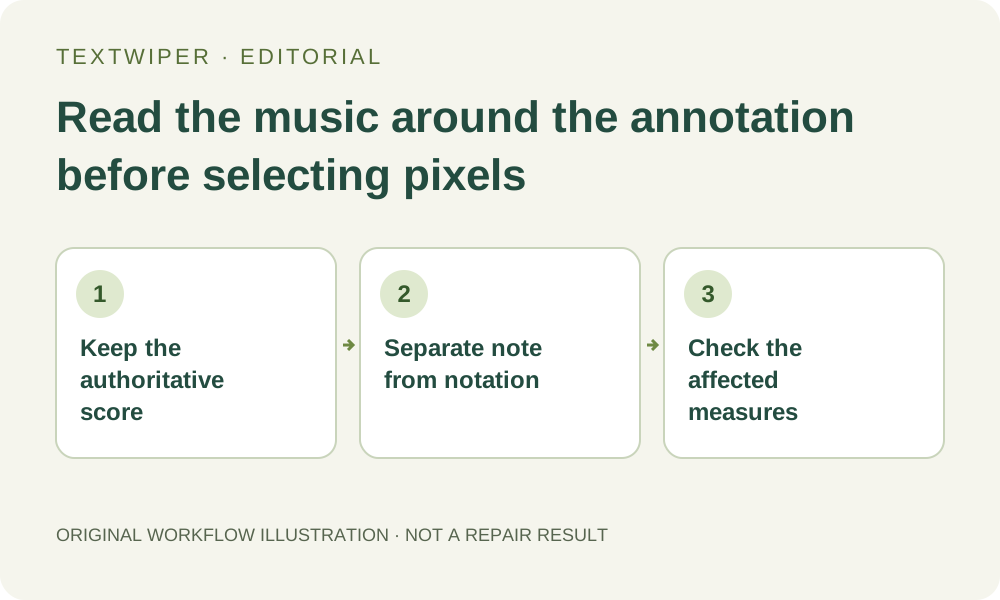
Keep the original scan and, if available, the notation document or clean export that preceded the rehearsal annotation. Decide which marks were added later and which belong to the intended version. A rehearsal letter, fingering, dynamic or articulation may be a real instruction; its small size does not make it disposable.
Write down the system and measure where each removable note appears. If the task is to produce a clean practice copy, retain a separate annotated copy for reference. This location list makes it possible to review the affected music later without treating every handwritten-looking mark as the same kind of content.
2. Check whether the annotation can be separated from the notation
Zoom in before building a removal mask. Look for noteheads, stems, beams, rests, barlines, accidentals and staff lines near the annotation. Inspect the space between them as well: a dot beside a note or a short curve over it can carry meaning even though it looks like a stray mark.
When an added note covers a symbol, a plausible-looking fill does not tell you what that symbol was. Protection can retain visible pixels; it cannot uncover a hidden original. Return to the notation source or another authoritative copy when accurate reconstruction is needed. Leave an uncertain measure unchanged until its intended content is known.
3. Build a small manual selection rather than selecting all detected text
Open a supported still image in TextWiper and use Brush around the later annotation, including any visible shadow or outline it added. Use Erase to withdraw accidental green coverage and Protect for visible neighboring notation that must stay. Keep distinct marks as separate mask islands instead of drawing one large rectangle across an entire staff.
Find text is optional and requires upload permission before sending its working image. If it helps locate an ordinary text note, inspect the returned region against the score before selecting it. Recognition is not a music-reading check: a detected letter may be an expression marking, and Characters cannot supply a finer boundary that recognition did not return.
4. Choose repair for the paper surface, then inspect the result as music
Quick repair is a reasonable candidate for an isolated mark in plain paper space. Smart may provide another candidate where the page texture is uneven, but neither mode verifies notation. The separate whole-image automatic trial is not a way to limit processing to this note; do not use its result as proof that the score was preserved.
After repair, inspect the complete result first. Use Show comparison when you need to locate the edited footprint, then read the affected measure from its first symbol to its last. Check both the removed position and nearby unchanged-looking details; a smooth patch of paper is insufficient when a stem, dot or barline has also disappeared.
5. Follow relationships across the edited location
Trace a tie or slur through both of its endpoints, and follow beams to every note they group. Read a dynamic or other retained instruction with the passage it applies to. Compare the number and placement of visible symbols with your authoritative reference; this is a human review plan, not a built-in musical validation feature.
If you alter the mask after reviewing a candidate, TextWiper returns to the original for another repair. Keep all intended removal regions and useful protection in the combined selection. Do not assume the previous patch remains committed while you add a second annotation to remove; save an accepted PNG separately if you deliberately need another stage.
6. Reopen the practice copy at its real reading size
Download PNG after accepting the visible result and reopen the actual file outside the editor. Read the repaired system at the size you will use on screen or paper, with the adjacent measures visible. Check the file again after any later resizing or page-layout step; a tiny retained symbol must still be readable in the final delivery.
Keep the notation source, annotated reference and cleaned practice copy as distinct versions. This procedure does not recover concealed music or establish a new authoritative edition. Manual repair and downloads remain free during beta, and the optional recognition step is not required for a carefully chosen image selection.