PRACTICAL IMAGE EDITING
Can Removing an Overlay Recover the Words Underneath?
If your goal is to read words hidden beneath a sticker, caption or watermark, removing the visible mark is not the same as recovering those words. TextWiper fills a selected image area with an estimated background. A plausible-looking letter in that fill is not a transcription of the covered original. First identify whether you need an attractive image or reliable information, then look for an authorized source that actually contains the information.
Published 2026-10-25 · Updated
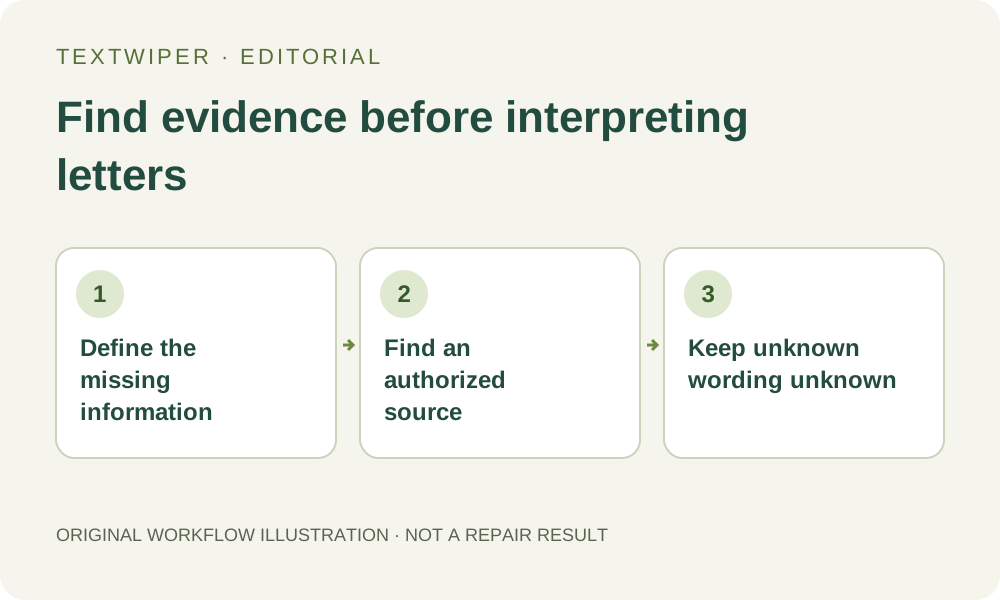
1. State the information you need before selecting anything
Write down the question outside the image: for example, which version name was printed beneath our own draft ribbon? That is an original planning example, not a recovered result. If the answer matters, a smooth patch that merely resembles typography is inadequate. Decide which words must be supported by an actual source rather than judged by appearance.
Keep the unchanged file. Check whether the wording is truly covered, merely small, or visible but hard to read. Zoom and Pan let you inspect pixels already present; increasing the viewing scale does not create missing letters. Avoid painting over the target while you are still deciding what information is available.
2. Look for the version before the overlay was flattened
Check your own source document, earlier authorized export, original photograph or the material provided by its owner. If a draft ribbon is a separate layer in that source application, hiding that layer on a duplicate may reveal genuinely stored content. TextWiper cannot inspect design layers. Opening a flattened PNG in a design application does not itself make its covered content available.
Match the source to the relevant revision. A previous product label can be perfectly legible and still contain an obsolete version number. Compare other visible words, layout and dates before using it to answer your question. Do not borrow wording from a similar internet picture and present it as recovered from the covered image.
3. Separate recognition from reconstruction
Find text can suggest words from the image supplied to recognition, after its separate upload-permission step. It is not a command to look beneath an opaque object or search your original documents. Recognition can also misread visible fragments. A returned word does not establish that its hidden portion was present in the file.
Quick repair and Smart repair serve a different purpose: replacing selected pixels for visual cleanup. They cannot retrieve the actual covered sentence. The whole-image automatic cleanup trial is also an editing route, with separate consent and limited allowance. Repeating these operations is not a reliable way to vote on what a concealed word originally said.
4. Follow a source-checking sequence
Use a sequence that keeps the evidence separate from any cosmetic experiment. No recognition request or repair is necessary merely to establish that a source is missing.
- Keep an untouched input and note which exact portion cannot be read.
- Inspect visible pixels without altering them, distinguishing an actual letter from an uncertain fragment.
- Find an authorized source or ask its owner for the correct unobscured revision.
- Compare the source version with the covered picture using unaffected details.
- Record the wording only when that source supports it; otherwise mark it as unknown.
- If a separate cosmetic copy is useful, label it as edited and keep it out of the evidence used to verify the wording.
5. Use cosmetic cleanup only when it is the actual task
If you establish that the job is removing your disposable overlay from a non-sensitive illustration, open a separate authorized copy. Brush the unwanted mark, refine the mask and protect visible details that must remain. Manual selection, local repair and download are free during beta without an account. Recognition remains optional.
Inspect the complete result, with Show comparison only when helpful, then download and reopen the candidate. Judge its visual suitability rather than trying to read an invented background as a historical record. Protect preserves visible input pixels; it cannot preserve a hidden word that the original loaded image never exposes.
6. Deliver an honest answer, including an unresolved one
Keep the question and its answer linked to the source you actually checked. “Confirmed in our original design” and “not readable in the supplied picture” communicate different outcomes. Neither should be replaced with “recovered” merely because an editor generated a convincing shape. Do not use a cleaned sample as proof of an identifier, price or instruction.
When no trustworthy source is available, stop the information-recovery task. You may still make a clearly identified presentation copy if it is appropriate and authorized, but the unknown wording stays unknown. This guide explains that decision boundary; it supplies no new recovery test, forensic method or guarantee about a concealed passage.