PRACTICAL IMAGE EDITING
Keep a 16-Bit or RAW Master Separate from a Browser Cleanup Copy
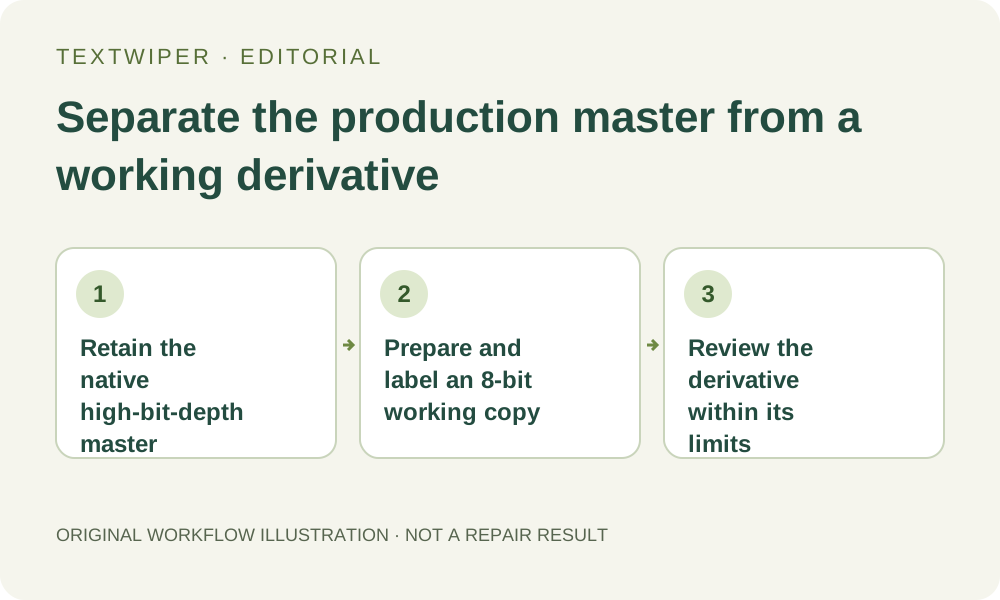
If your source belongs to a 16-bit, RAW or HDR workflow, preserve that master in its native production application. Prepare a separate ordinary working derivative only when an 8-bit cleanup copy is suitable. TextWiper's current manual pipeline uses 8-bit image data; accepting a file or downloading PNG does not make it a high-bit-depth round trip. Decide the required deliverable before changing the source.
Published 2026-10-28 · Updated
1. Identify the master and the required output separately
Check the actual source document in the application that created or developed it. A RAW camera file, a layered high-bit-depth document and an ordinary web export are different assets. A filename containing original or HDR does not establish its encoding, processing history or suitability for this task. Keep the native master unchanged and preserve the development settings where your normal workflow requires them.
Decide whether you need a web illustration or a deliverable that must retain the production workflow's bit depth and color handling. If the latter is required, perform the real edit in tools that explicitly support that requirement. An attractive browser preview cannot certify a high-bit-depth master, and this guide does not supply a calibrated color or HDR validation.
2. Understand this editor's present pixel boundary
TextWiper's current manual repair implementation reads and works with 8-bit RGBA image data and composes repaired values back into that representation. The HTML Standard defines the default two-dimensional canvas color type as unorm8. The source below supports that standard fact; the stated TextWiper boundary also follows its current implementation, not a claim about every possible browser imaging feature.
A 16-bit PNG that a browser can decode is therefore not proof of a 16-bit editing or export path here. Equal width and height do not establish equal channel precision, preserved embedded profiles or retained RAW development flexibility. PNG avoids JPG's lossy encoding stage, but the file extension alone does not restore precision already absent from the working pixels.
3. Prepare a deliberate derivative in the source application
Use your existing production application to export a separate 8-bit working copy with documented color choices suitable for its intended use. A still PNG is useful when avoiding a new lossy intermediate matters; an ordinary JPG may suit another approved delivery. Make those choices explicitly rather than overwriting a master or trusting an unspecified conversion.
RAW and TIFF files are not direct supported inputs to this editor. Renaming them to PNG is not a conversion. Check the exported picture, orientation and dimensions, and keep it within the current manual file limits. If you resize it too, record that as a separate change; reduced pixel dimensions and reduced channel precision are different limitations to assess.
4. Treat the browser task as an edit to that derivative
Open the verified working file and check its unedited appearance before selecting. Use Brush or Area for a bounded unwanted annotation, with Erase and Protect where appropriate. Optional Find text has its own upload permission. Neither recognition nor choosing Smart instead of Quick changes the derivative into a high-bit-depth source.
Inspect a manual candidate against the loaded working copy, including gradients and useful detail around the selected region. Preservation outside a manual mask refers to the decoded working image's pixels, not the unavailable precision or native structure of a separate master. Keep that distinction when deciding whether the result is suitable for a web presentation or merely a visual planning reference.
5. Do not promote the downloaded copy into a restored master
Download an accepted PNG and reopen it in the intended destination. Name it so its derivative role remains clear, and retain the native master separately. Saving the download into a document configured for 16-bit editing cannot recreate precision that was not carried through this cleanup. It can store the imported values in another container, but that is not recovery of the earlier source information.
If a final high-bit-depth production version is needed, use the browser result only as a reference for the intended cosmetic change and perform the necessary work in the supported native workflow. Pasting an 8-bit repaired patch onto a higher-precision master also introduces an 8-bit-derived region. Do not call the whole result uniformly preserved merely because the untouched portions remain native.
6. Approve the appropriate deliverable or stay in the native workflow
For an ordinary web derivative, review the actual exported file at its intended size and in a consistent viewing setup. Check the repaired boundary and the complete picture, and ask the responsible reviewer to approve any appearance-sensitive use. Do not turn the absence of an obvious visual defect into a numerical fidelity claim or a guarantee about later grading and printing.
When channel precision, HDR behavior or a specified production color pipeline is essential, stop this derivative route and keep the task in a tool that supports and verifies those requirements. Manual repair and downloads remain free during beta. The separate whole-image automatic trial is not a high-bit-depth preservation mode and is unnecessary for making the master-versus-derivative decision.
Sources
- HTML Standard: the canvas settings — Supports the standard's default unorm8 canvas color type. TextWiper-specific processing statements were checked against the current application source; this is not a browser compatibility or color-fidelity test.