PRACTICAL IMAGE EDITING
What an OCR Confidence Score Means Before You Remove Image Text
A percentage beside a detected phrase is not an instruction to erase it. TextWiper labels the value as a recognition confidence estimate. Use it as a reason to inspect the original, not as proof that a word is correct, unwanted or safe to remove. The repair result needs a separate visual review.
Published 2026-10-19 · Updated
1. Separate four questions that the number cannot answer together
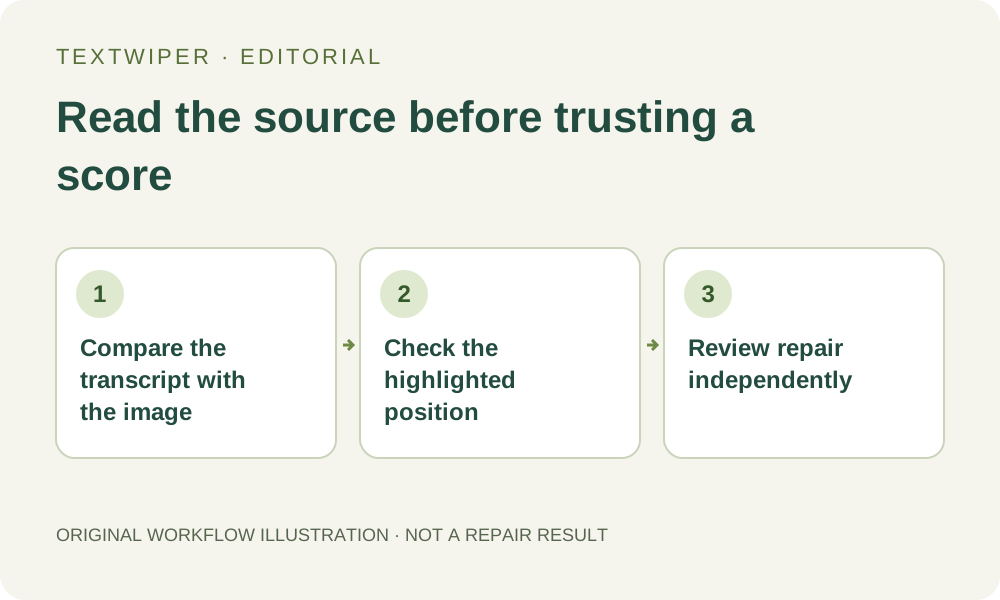
After Find text returns, you may see wording, a location and a percentage in the text list. Ask four separate questions: does the transcript match the visible source, is the detection located correctly, is that occurrence actually unwanted, and can its background be repaired acceptably? A single score does not establish all four.
The displayed estimate is not a calibrated probability that your finished edit will be right. When the current recognition data does not include a usable confidence value, the list can show a dash. Missing confidence is not a zero-quality image, just as a high displayed value is not a preservation guarantee. Read the actual picture either way.
2. Compare ambiguous characters in context
Use an image you own or are authorized to change. Examine the exact target in the source, including punctuation, spacing and adjacent words. A short code can be meaningful even when one character looks similar to another. Decide whether an apparent O is a letter or a zero from the real source and context; do not let an attractive percentage make that decision.
The same applies to a decimal point, a minus sign or a tiny unit. This guide gives illustrative inspection cases, not newly measured recognition errors. If a phrase is too small or blurred to establish its wording, record that uncertainty. A larger screen view can make existing pixels easier to inspect but does not manufacture detail absent from the source.
3. Check the proposed area before choosing the text
- Choose Find text only if you want recognition and approve the image-sending prompt. Opening a local image alone does not populate the detection list.
- Read the listed phrase against the original image. Ignore the temptation to select all entries above an arbitrary percentage threshold.
- Locate the corresponding area on the canvas and select only the intended occurrence. Nothing starts selected by default.
- Inspect the green removal mask around neighboring words and punctuation. Switch between Words and Characters only when useful positions actually exist.
- If the transcript or available region is unsuitable, clear that detected selection and use Brush, Erase and manual Protect coverage to define the intended edit.
4. Do not turn recognition confidence into keyword approval
Keyword actions compare the available recognized text with your rules. A confidently recognized word can still be the wrong occurrence to remove: it might be printed product information rather than an outdated overlay. Conversely, an incorrect transcript may fail to match a valid rule. Check meaning and position instead of interpreting the score as a recommendation.
Use Apply to detected text when reviewing rules against existing detections, and examine the combined green area. Earlier manual strokes also matter. Scan & erase matches is a different action that scans and repairs matching areas without the same review pause. A confidence estimate cannot replace the deliberate decision required before using that workflow.
5. Rate the repair by the image, not by the OCR list
Once a defensible mask exists, choose Quick repair for a suitable simple surface or consider Smart repair for texture. Manual repair does not require a perfect transcript. A correctly recognized word can leave a poor patch on a complicated background, while a manually selected unreadable caption may still allow an acceptable visual cleanup.
The editor shows the complete result after repair. Inspect the old text area, its boundary and the information that should remain. Use comparison to locate a doubt and return to the full result to judge it. Do not report a detection score as a repair score, a percentage of letters removed or a guarantee that nearby content is unchanged.
6. Resolve uncertainty rather than chasing a larger percentage
If only the transcript is wrong but the unwanted pixels can be identified clearly, use a manual selection. If the source is genuinely ambiguous or the target overlaps essential details, seek an editable source or a better authorized original. Repeating recognition without a concrete change is not a reliable method for certifying the text.
Download a reviewed PNG or JPG and reopen it, then read the necessary retained content once more. Recognition has its own availability, upload permission and temporary limits; manual selection, repair and downloads remain free during beta. This article explains how to interpret a visible estimate and make a selection decision, not a new OCR accuracy benchmark.