PRACTICAL IMAGE EDITING
Switch Between Text Removal and Watermark Removal Without Losing Track of the Source
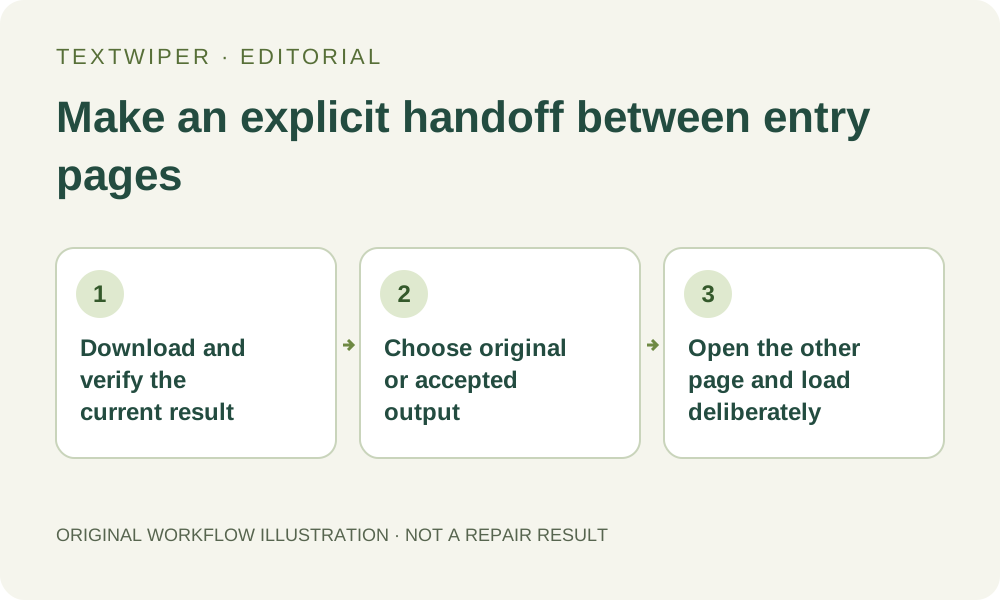
The text-removal and watermark-removal entries are separate pages. Following the header link opens the other page; it is not a command to carry the current canvas into another mode. Save useful work first, decide whether the next task should start from the unchanged original or an accepted output, then load that file explicitly. The other entry page does not make an unsaved mask portable.
Published 2026-10-28 · Updated
1. Decide whether changing pages is needed at all
Both entries provide the manual selection tools, Quick or Smart repair and downloads. A graphic mark can be painted manually, and a text mark can be selected or painted without moving to a different page. If the current workspace already supports the intended local edit, continuing there avoids a needless file handoff.
The watermark entry also exposes the separate limited whole-image automatic trial. That availability is a reason to inspect another workflow, not proof that a manual picture must be moved merely because its overlay is called a watermark. Decide by the required processing scope and your ability to verify the result, rather than by the wording of the page title.
2. Finish or preserve the current stage before navigation
Download any accepted result and reopen the actual file before following the header link. Keep the unchanged authorized source too. If your selection has not yet been repaired, you have a draft plan rather than a finished output; either finish it, record enough to rebuild it or deliberately abandon it. A screenshot of the workspace is not an export of its mask.
Wait for a pending recognition or repair operation to return, or cancel deliberately where supported. If an automatic attempt has already been accepted, resolve or check that attempt in its current workflow before deciding to start elsewhere. Navigating to another page is not a reliable cancellation or a refund, and it is not a reason to submit the same customer picture again.
3. Select the source for the next page explicitly
Use the unchanged original when you want a fresh alternative that does not inherit earlier inferred pixels. Use a reviewed downloaded output only when you deliberately accept those pixels as the next input. Those choices produce different editing tasks. Do not select a similarly named download without checking whether the first change is already inside it.
Keep notes such as original for alternate cleanup or accepted first edit for second stage alongside your own files. TextWiper does not encode that intention in a page link. A downloaded PNG is an image, not an editable project containing the previous recognition, selected text, protection strokes and Undo history.
4. Open the other entry and establish its new workspace
Use Watermark remover from the text entry or Use the text remover from the watermark entry. These are normal page links. In a freshly initialized workspace, the text entry starts with Select, while the watermark entry starts with Brush. Check the highlighted tool after opening your intended file instead of dragging on the assumption that the earlier tool carried over.
Load the verified source and inspect the picture and dimensions. Rebuild any necessary mask and protection on this file. Browser Back or a restored tab may behave differently across devices and page-lifecycle conditions; do not depend on it as a saved-project system. An account or familiar interface does not establish that the previous image geometry or manual plan transferred.
5. Read permissions and allowance for the actual operation
Manual selection and local repair do not require a whole-image automatic request. Optional Find text has its recognition upload choice; opening another page is not permission to send the image. If recognition would help in the new workspace, request it deliberately and review the current permission dialog and returned positions.
For automatic cleanup, sign in as required, check the current trial status and read its separate whole-image upload choice. It is a limited trial whose accepted attempt can use allowance even if processing fails or you stop waiting. Green manual coverage does not restrict that whole-image request. Do not create another attempt merely to test whether the page handoff succeeded.
6. Verify the new deliverable against the chosen source
After the deliberate operation, inspect the complete result and all details that must remain. Compare it with the source you actually selected for this stage. If that source was an earlier accepted repair, also keep the untouched original available to notice accumulated changes. Download and reopen the file you intend to use, giving alternatives distinguishable names.
When the automatic trial is unavailable or unsuitable, the manual tools remain free during beta without an account. You can choose that route on the watermark page without navigating again. The handoff is complete when the correct source, new mask and reviewed saved output are established, not when the other page merely displays the same branding.