PRACTICAL IMAGE EDITING
Deliver a Cleaned Image When an Indexed Palette Is Required
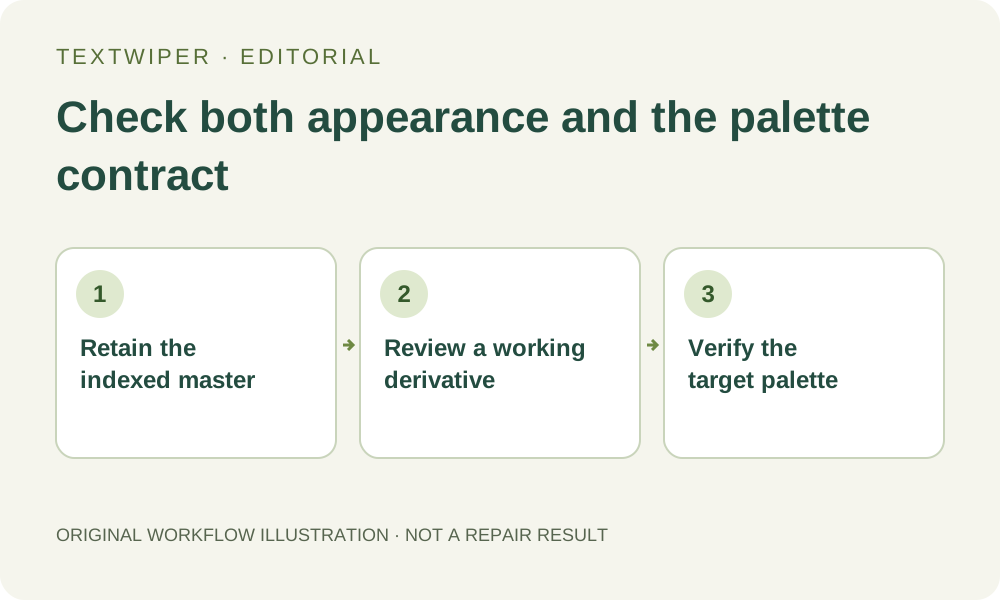
A game asset, device graphic or controlled design workflow may require a particular indexed palette, not merely a picture that looks similar. Establish that requirement before clearing an added label. Keep the indexed master in its production tool, use any browser cleanup only as an appropriate working derivative, and verify the actual palette-dependent deliverable in the external target workflow.
Published 2026-10-30 · Updated
1. Ask what the recipient means by a fixed palette
Obtain the real delivery specification rather than interpreting a request for PNG as an indexed-color requirement. The destination might limit the available colors, require an existing palette in a particular order or depend on particular index values. Those are different contracts. Keep an approved reference file and the palette information your production process uses.
The PNG specification defines indexed-color pixels as palette indices and associates indexed transparency values with palette entries. That explains why an apparently unchanged color is not enough to demonstrate the required mapping. The official source below describes the file format; it does not establish what a particular game, device or asset pipeline will accept.
2. Preserve the master instead of expecting an index round trip
Keep the native indexed document and its approved palette unchanged outside TextWiper. The editor decodes images into a browser pixel workflow and exports a rendered PNG or JPG. It offers no control or guarantee for preserving the input palette, palette order, per-pixel index assignments or an external palette identifier through that round trip.
Do not infer the actual encoding of every browser-generated PNG merely from this limitation. The practical point is that this editor does not certify the required indices. A PNG suffix, the same pixel dimensions or a screenshot of similar colors cannot substitute for checking the delivered file in a tool that exposes the relevant format properties.
3. Decide whether a working derivative is useful
If the task must retain exact indices throughout editing, perform it in the production application that supports and verifies that requirement. If a visual cleanup reference or a derivative for later controlled conversion is acceptable, make a separate supported still-image copy. Keep its relationship to the indexed master explicit instead of overwriting the master.
Open the copy and check framing, dimensions and transparency before selecting the unwanted mark. Brush and Area can define a manual removal region without recognition. Optional Find text has a separate working-image upload choice. Neither recognition nor Smart repair turns this working derivative into an indexed-palette preservation mode.
4. Inspect the repaired colors before any palette conversion
Make a bounded manual selection and inspect the complete candidate against the working source. Repairs may introduce color values or blended edges that do not belong to the permitted palette. An area can look smooth in the browser yet require visible changes when later restricted to a smaller set of colors.
Check thin outlines, flat fills and any intentionally sharp color boundaries around the removed mark. For transparent graphics, inspect the intended backdrop as well. Download a reviewed PNG derivative rather than using JPG as an intermediate for an index-sensitive task; JPG is a lossy color image export, not a carrier for the original palette mapping.
5. Rebuild only through a tool that supports the actual contract
Where your established production tool supports the required palette assignment, import a separate copy of the reviewed derivative and follow that tool’s documented procedure. Confirm that it can preserve or assign the required order and indices; a generic option labeled indexed or reduce colors may not meet a slot-specific specification.
Review the converted appearance again, including transparency behavior and repaired edges. Do not promise that remapping will preserve every visible detail or recover an original index that the derivative did not retain. If the mapping cannot be verified, keep the asset in the native editing workflow instead of submitting the browser output as a certified master.
6. Validate the actual asset in its consuming application
Inspect the final file’s palette properties with the approved production tools, then load that exact file in the intended game, device preview or asset importer. Check the relevant appearance and any behavior that depends on indices. A normal desktop viewer is useful for a visual check but cannot certify every external index-based rule.
Retain the original master, the accepted delivery and a note of the conversion and target checks performed. An unsuccessful conversion is a delivery limitation, not a reason to repeatedly repair the image. TextWiper can help with an authorized visual cleanup copy; it does not replace palette-aware authoring or guarantee compatibility with a specified consumer.
Sources
- W3C PNG Specification: indexed color and transparency — Defines palette-index pixels and indexed transparency entries. It does not verify TextWiper export encoding or a consumer-specific palette contract.